Do AirPods Max need a case? What the Smart Case does and doesn't do
The Smart Case is AirPods Max's off switch more than its armor. What Apple says it does, where it falls short, and how to carry the headphones without damage.
Written by the YOONIG team · Updated · 6 min read

Yes, mainly for the battery: the Smart Case is how they sleep
AirPods Max do need a case, and the reason is power before protection. They have no off button. Apple's instruction is to keep them in the Smart Case when you're not using them, which puts them into an ultralow power mode to preserve battery charge (Apple: Charge your AirPods Max). Out of it, they're never fully asleep in the way Apple describes.
Protection is the second reason, and Apple says that one directly too: storing AirPods Max loose in your bag can result in damage (Apple: Connect and use your AirPods Max). The Smart Case comes in the box, so the question for most owners isn't whether to buy a case but whether the one they have is enough for how they carry the headphones.
What the Smart Case is, by Apple's own specs
Apple calls it the soft, slim Smart Case on its AirPods Max page, and says that when AirPods Max are stored in it they enter an ultra-low-power state (Apple: AirPods Max). It has three facts worth knowing before you judge it.
| What | Apple's figure or statement |
|---|---|
| In the box | AirPods Max, Smart Case, cable and documentation |
| Weight of the Smart Case (AirPods Max 1) | 4.74 oz (134.5 g) |
| Weight of AirPods Max 1, with cushions | 13.6 oz (384.8 g) |
| What it does to the headphones | Puts them in an ultralow power mode; you can't play audio while they're in it |
| How they know they're in it | Each ear cup has a case-detect sensor, among others |
| Charging while inside | Yes: align the cutout on the case with the Lightning or USB-C port |
| Water resistance | None: Apple says AirPods Max and the Smart Case aren't waterproof or water resistant |
What it leaves open: the headband and the hard knocks
The Smart Case wraps the ear cups. The headband stays outside it. That's by design, and it's the source of most complaints about it as a travel case: in a bag, the canopy and the arms are in contact with whatever else is in there.
Apple doesn't publish a drop or crush rating for AirPods Max or for the Smart Case, so there's no official figure for how much the case absorbs. Apple's AirPods Max 1 specs list the headphones at 384.8 grams (Apple: AirPods Max 1 Tech Specs), and the current AirPods Max page describes anodized aluminum cups and a stainless steel frame. That's a lot of mass behind a soft case if the bag hits the floor.
Moisture is the other gap. Apple's cleaning page says neither the headphones nor the Smart Case are water resistant (Apple: How to clean your AirPods Max). A soft case in a wet bag protects nothing from rain.
None of that makes the Smart Case pointless. It does the one job nothing else can, putting the headphones to sleep. It just isn't a hard-shell travel case, and Apple doesn't describe it as one.
Matching the case to how you carry them
The right setup depends on where AirPods Max spend their day. Use the rows below as a starting point; the protection judgments are ours, the battery facts are Apple's.
| How you use them | Smart Case alone | What we'd add |
|---|---|---|
| Desk or home, never leave the room | Enough: it puts them to sleep between sessions | Nothing |
| Commuting in a backpack | Battery fine; headband and cups exposed to other contents | A cover against scratches, or a dedicated bag compartment |
| Flights and long trips | Battery fine; no crush protection | Pack them where they won't be stacked under heavy items |
| Shared or office use | Hard to tell pairs apart | A printed cover makes yours recognizable |
| Hanging around your neck all day | Not in the case, so not asleep | Back in the Smart Case whenever you stop listening |
Battery: what happens if you skip the Smart Case
Taking AirPods Max off doesn't put them to sleep. Apple says audio pauses when you remove them from your head, and if you put them back on within 15 seconds, play resumes automatically. That's a pause, not a power state.
You'll see specific timers quoted online for when AirPods Max drop into a lower power state on their own if left out of the case. Apple's current charging page doesn't give them, so we don't repeat them. What Apple does say is unambiguous: keep them in the Smart Case when you're not using them. If yours seem to be flat every morning, that's the first habit to check, before you suspect the battery.
Apple's charging page also covers the light. On AirPods Max 1, the status light is green at 15 percent or more and amber below that when not connected to power; on AirPods Max 2 it briefly flashes amber below 15 percent. Your iPhone shows low-battery notifications at 20, 10 and 5 percent. For the rest of the turning-off picture, see how to turn off AirPods.
A cover for AirPods Max: what ours is and isn't
We make one printed case for AirPods Max, listed under AirPods Max cases. It's a polycarbonate shell, printed all over, in a glossy or matte finish, and the maker describes it as scratch resistant, slim and lightweight. The headphones aren't included, which sounds obvious until you see how many listings blur that.
What it's for: keeping the aluminum from picking up scratches in a bag, and making a pair of headphones that looks like every other pair recognizably yours. What it isn't: a replacement for the Smart Case. Apple ties the ultralow power mode to the Smart Case, so whatever else you use, the Smart Case is still where they should sleep. We publish no drop rating for our case and make no claim that it stops impact damage.
One more thing to check before you buy any AirPods Max accessory: which AirPods Max you have. Apple lists three: AirPods Max 1 with Lightning (A2096, 2020), AirPods Max 1 with USB-C (A3184, 2024) and AirPods Max 2 (A3454, 2026). The model number is behind the cushion on the left ear cup (Apple: Identify your AirPods), and our guide to which AirPods you have covers the rest of the lineup. Check the product page for which of them a case is made for.
Looking after the Smart Case itself
Apple's cleaning instructions for the Smart Case: wipe it with a soft, dry, lint-free cloth; if necessary, dampen the cloth slightly with isopropyl alcohol and let the case dry; don't use abrasive materials. The ear cushions and knit mesh canopy have their own method, with a mild detergent solution, and Apple says not to use alcohol or disinfecting wipes on them.
The Smart Case contains magnets. Apple's safety information says AirPods, the charging case and the AirPods Max Smart Case contain magnets and radios that emit electromagnetic fields, and to keep them a safe distance from medical devices: more than 6 inches, or 15 cm, but consult your physician and device maker for specific guidance.
If you're also weighing covers for earbud cases, the honest pros and cons are in do AirPods need a case cover, and the general rules for drops are in can AirPods break if dropped.
Frequently asked questions
Do AirPods Max come with a case?
Yes. Apple includes the Smart Case in the box. It's a soft case that covers the ear cups and puts the headphones into an ultralow power mode.
Do AirPods Max drain without the case?
Apple says to keep them in the Smart Case when not in use to preserve battery charge, which implies they use more out of it. It doesn't publish an idle-drain figure.
Does the Smart Case protect AirPods Max from drops?
Apple doesn't publish any drop rating for the Smart Case. It's soft and leaves the headband outside, so treat it as a sleep case and a scratch cover for the cups, not impact protection.
Can I charge AirPods Max inside the Smart Case?
Yes. Apple says to align the cutout on the case with the Lightning or USB-C port on the headphones and connect the cable.
Can I use a different case instead of the Smart Case?
For carrying, yes. For battery, Apple ties the ultralow power mode to the Smart Case, and its guides describe no other way to put AirPods Max to sleep.
Is the AirPods Max Smart Case waterproof?
No. Apple says AirPods Max and the Smart Case aren't waterproof or water resistant. If they get wet, wipe them with a dry cloth and keep moisture out of openings.
Shop the story
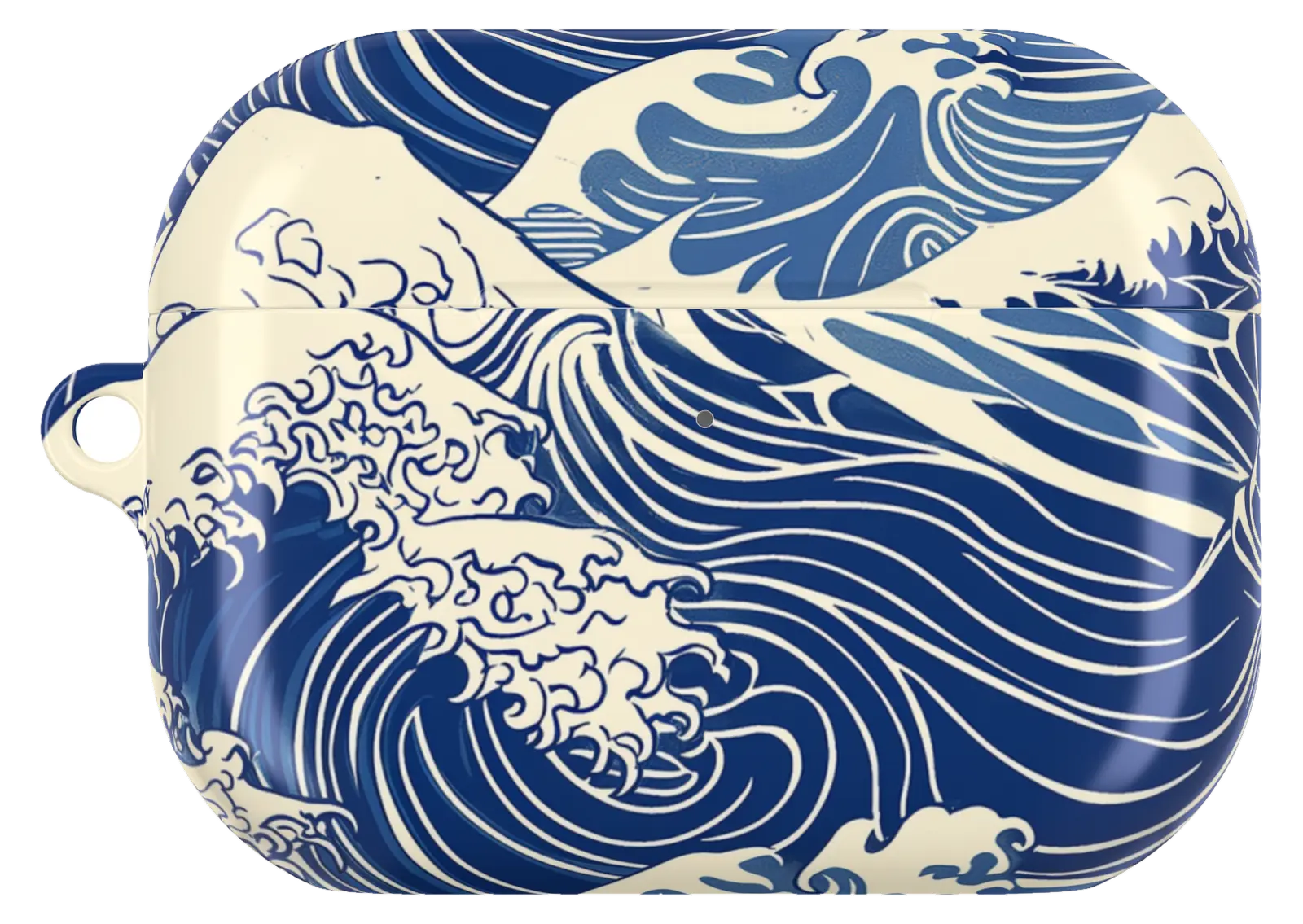 Kanagawa Wave AirPods CaseFromCA$39.00AirPods case · choose your model
 Midnight Blue AirPods CaseFromCA$39.00AirPods case · choose your model
 90s Memphis Pattern AirPods CaseFromCA$39.00AirPods case · choose your model


